Introduction: Filling the Printers Is Only the First Step in Scheduling
In a 3D printing shop, the most intuitive efficiency indicator is whether the equipment is running. But if you only pursue full machine utilization, you may end up with accumulated post-processing work, urgent orders jumping the queue, frequent material changeovers, and bottlenecks in quality inspection. Real scheduling optimization should keep orders flowing smoothly through printing, cleaning, post-processing, inspection, and packaging, rather than making one machine look busy.
1. Break Orders Down into Resource Requirements
Every order should be converted into resource requirements: material type, process equipment, estimated print hours, build volume, post-processing steps, inspection level, and latest delivery date. SLS orders are suitable for batch consolidation by material and color; SLA orders require attention to support orientation and cleaning/curing capacity; metal printing must consider build plates, heat treatment, and wire EDM queueing. Only by structuring resource requirements can scheduling be optimized effectively.
2. Identify the Real Bottleneck, Not the One You Assume
Many shops assume the bottleneck is the printing equipment, but the actual constraint may be powder removal, sanding, spray painting, or quality inspection. You can determine the bottleneck position by tracking the waiting time and work-in-process volume for each step. If the average wait for post-processing exceeds 24 hours after printing is completed, adding more print jobs will only increase inventory. Optimization should first improve the bottleneck operation, for example by adding fixtures, standardizing sanding workflows, or adjusting inspection sampling strategies.
3. Establish Explainable Priority Rules
Urgent orders first is not the only rule. Scheduling can combine due date, customer tier, batch consolidation benefits, material changeover cost, and process continuity. For example, batching standard parts and urgent parts with the same material can reduce changeover time; however, when appearance parts are mixed with functional parts, you must avoid support strategies that affect quality. The rules should be transparent across the team so that on-site coordination does not rely on verbal communication every day.
4. Digital Dashboards Help Surface Exceptions Early
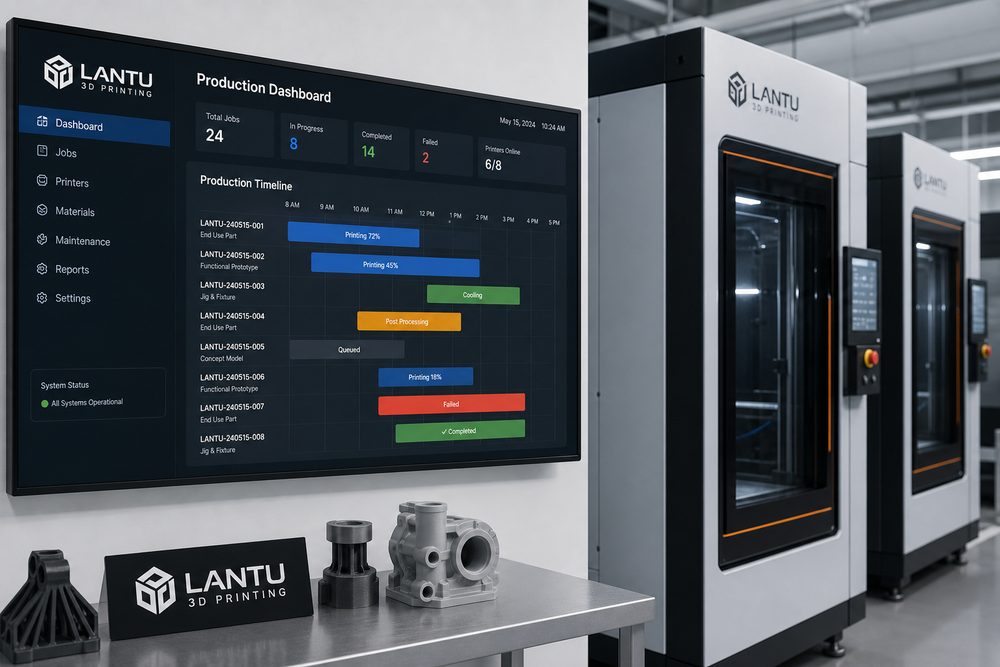
A production dashboard should at minimum display order status, machine plans, the post-processing queue, exception causes, and estimated completion times. For orders at risk of delay, the system should provide early alerts instead of waiting for customer follow-ups. The value of a Blueprint3D-type platform lies in connecting front-end orders, model review, production milestones, and delivery status, helping scheduling evolve from experience-driven to data-driven.
Conclusion
The goal of 3D printing scheduling optimization is not to maximize single-point efficiency, but to stabilize the overall delivery system. By breaking down resources, identifying bottlenecks, defining priority rules, and using digital dashboards, companies can achieve a higher first-pass delivery success rate even amid order fluctuations.
Submit a model, drawing, image or written notes. Engineers will review material, process, finishing and delivery based on actual use.