Introduction: Companies often rely on the experience of individual engineers to deliver successfully; once personnel change or order volumes increase, quality and efficiency fluctuate
Don’t let experience stay only in the minds of veteran technicians: building a 3D printing knowledge management system is not a single technical issue, but a systems engineering effort spanning customer requirements, model data, process selection, scheduling and delivery, and after-sales review. For a full-lifecycle management platform like Blueprints 3D, which connects blueprints/designs to physical delivery, the key is not whether something can be printed, but whether uncertain requirements can be transformed into a manufacturable process that is planable, traceable, and deliverable. A common misconception in the industry is focusing only on equipment parameters while ignoring order batches, validation milestones, quality records, and cross-department information flow, ultimately leading to rework, delays, or runaway costs. This article focuses on the 3D printing knowledge management system and, in combination with small-batch manufacturing scenarios, provides an actionable framework.
1. Organize material experience into searchable rules
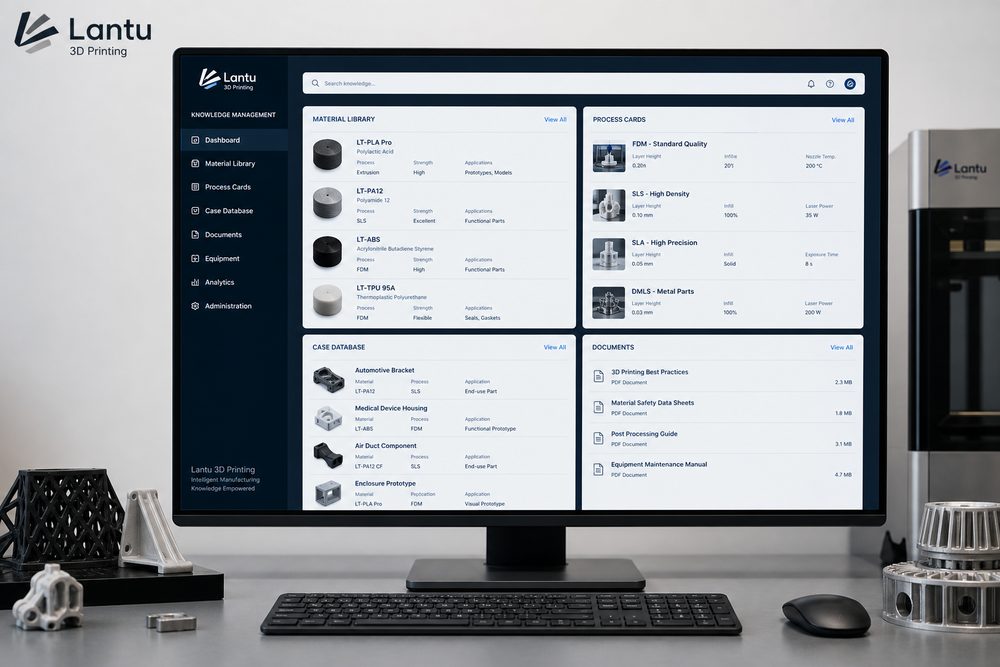
The material library should not be just a list of material names; it should include applicable scenarios, limitations, typical parameters, post-processing methods, and failure cases. For example, PA12 is suitable for functional validation and small-batch parts, but thin, long structures may warp; transparent resin is suitable for visual inspection, but its impact resistance is limited; metal printing is suitable for complex structures with high strength, but the cost and post-processing cycle are higher.
2. Process cards standardize production actions
Each typical part type should have a process card that records orientation, layer thickness, support strategy, cleaning method, curing time, and notes for dyeing or painting. A process card does not constrain engineers; it stabilizes basic operations so engineers can focus their efforts on anomaly detection and optimization.
3. A case library connects requirements and solutions
Excellent cases should record the customer background, problem, design adjustments, material selection, production process, and delivery outcome. Sales teams can use cases to help customers understand the solution, engineers can reference risk points in similar structures, and production teams can reuse mature parameters. The more specific the case library is, the less repeated communication is needed.
4. A problem library drives organizational learning
Every failure should be captured in the problem library: defect symptoms, photos, root causes, solutions, and preventive conditions. Regular reviews of high-frequency issues can, in turn, update quotation prompts, model inspection rules, and training content. The goal of knowledge management is not to write documents, but to reduce the probability of making the same mistake again.
Conclusion: Turn experience into repeatable delivery capability
Don’t let experience stay only in the minds of veteran technicians: the core of building a 3D printing knowledge management system is to turn scattered experience into standardized actions: requirements have an entry point, judgments have a basis, processes are recorded, exceptions are closed in a loop, and results can be reviewed. Companies are advised to start with one high-frequency product category or one typical customer project, first establish the minimum viable process, and then gradually expand into a material library, process library, quotation rules, and quality traceability system. What Blueprints 3D focuses on is precisely this kind of continuous capability building from design blueprint to physical delivery, making 3D printing not just a prototyping tool, but a reliable node for rapid validation, small-batch production, and on-demand manufacturing.
Submit a model, drawing, image or written notes. Engineers will review material, process, finishing and delivery based on actual use.